Match results
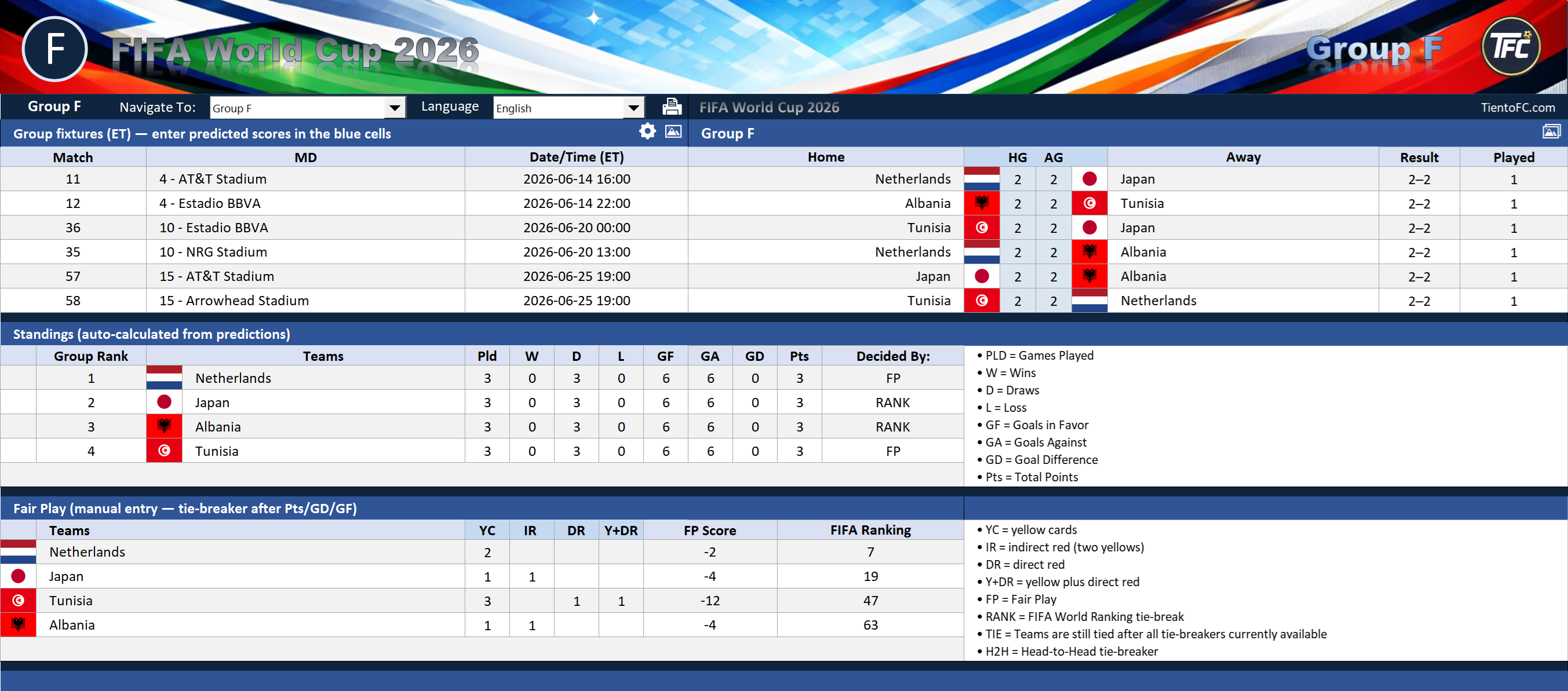
You need the score for every completed match so your standings table can update after each game.

Home / How to Track World Cup Standings in Excel
World Cup Standings in Excel
Many fans want to track World Cup standings in Excel, but it gets complicated fast. Once you start comparing points, goal difference, goals scored, tiebreakers, and knockout qualification, a basic spreadsheet can turn messy very quickly.
This guide shows what you need to track standings manually, why it gets harder as the tournament develops, and why many fans prefer using a purpose-built World Cup Excel workbook instead.
You need the score for every completed match so your standings table can update after each game.
Each team needs a running total of points earned from wins, draws, and losses.
You also need to track goals scored and goals conceded so you can calculate goal difference.
When teams finish level on points, goals scored can become one of the ranking factors.
Once teams are tied, Excel formulas or manual checks need to apply the right tiebreak order.
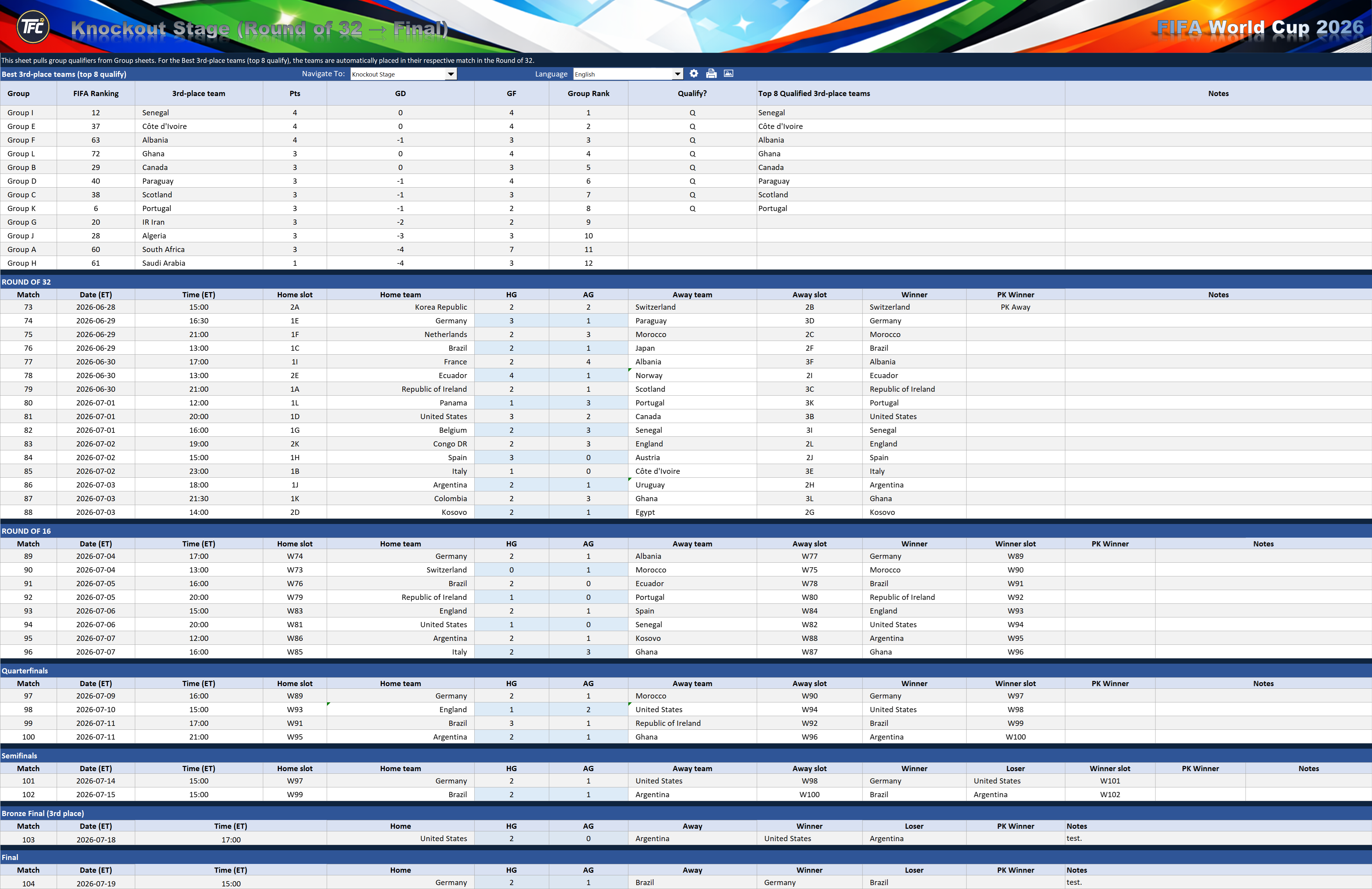
You need a way to move qualified teams into the knockout stage once the final group rankings are settled.
The TientoFC workbook gives you a cleaner way to handle standings, tiebreakers, and tournament progression in one Excel file.
Go to Buy PageAt the start, a standings table feels simple. But once multiple teams finish level on points, you have to do more than just sort the table.
You may have to compare tied teams more closely, check deeper ranking rules, and make sure the right teams qualify to the next round. That is where manual sheets often become slow and error-prone.
A dedicated workbook does more than store scores. It helps organize the whole tournament flow: group standings, ranking movement, tiebreak support, and knockout advancement.
That is especially useful when you want to simulate different scenarios instead of tracking just one static set of results.
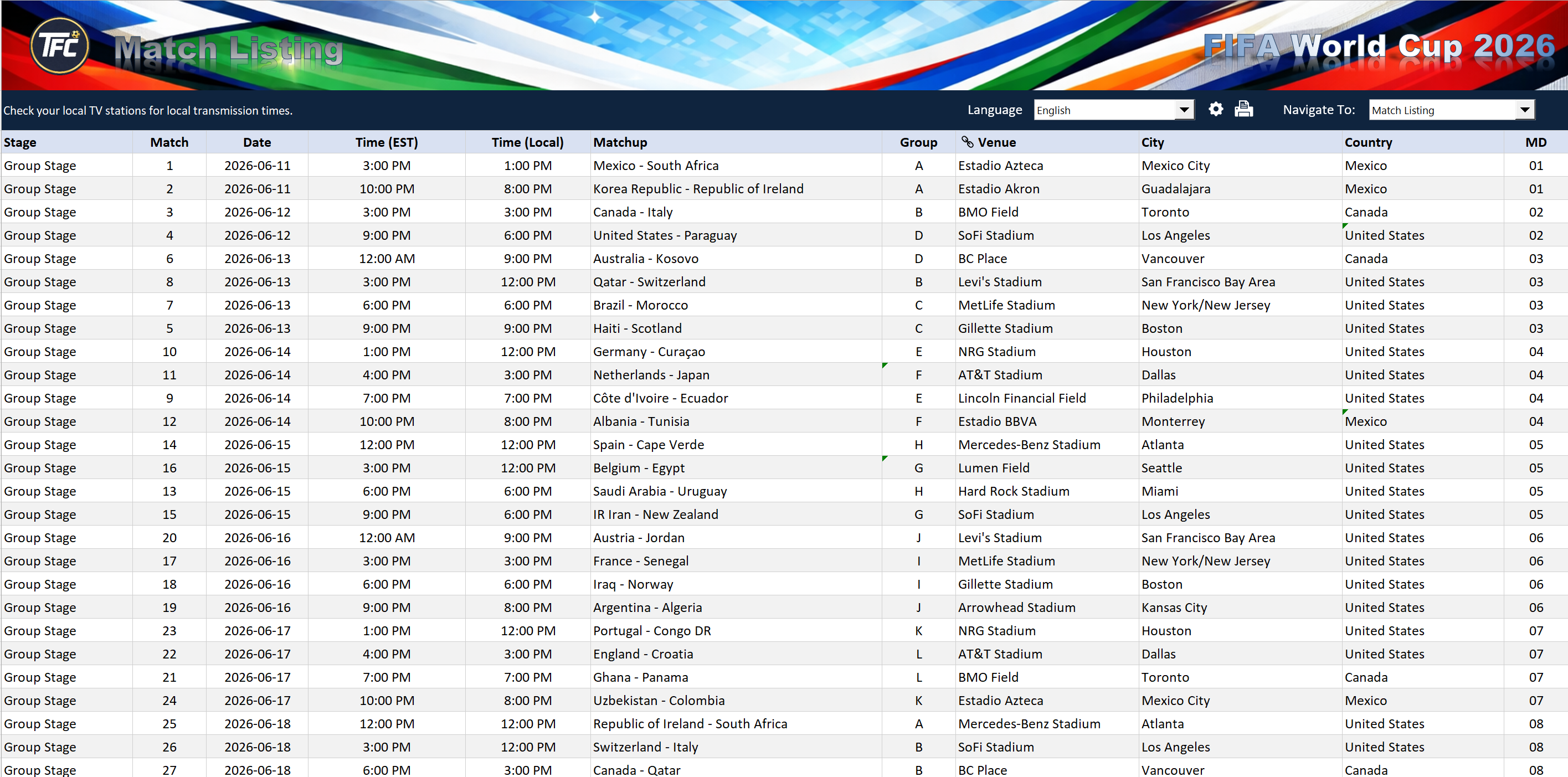
If you are comparing different ways to follow the tournament, these pages may help too.
Yes, but it usually requires manual setup for points, goal difference, goals scored, ranking order, and qualification flow.
The difficulty increases when teams finish level on points and you need to apply deeper ranking logic or compare multiple qualification scenarios.
A purpose-built workbook can make it easier to connect group standings with knockout-stage progression instead of managing them separately.
Yes. This workbook is intended for use in Microsoft Excel desktop.
You can go directly to the TientoFC purchase page and get access after checkout.
If you want a cleaner way to manage standings, ranking logic, and tournament progression, the TientoFC workbook gives you a more organized World Cup tracking setup in Excel.